 Qotara
1. Set up your business
Save your company details, contact information, tax number, and logo once.
Create branded estimates, email clients securely, reuse saved services, and turn work into professional invoices without entering the job twice.
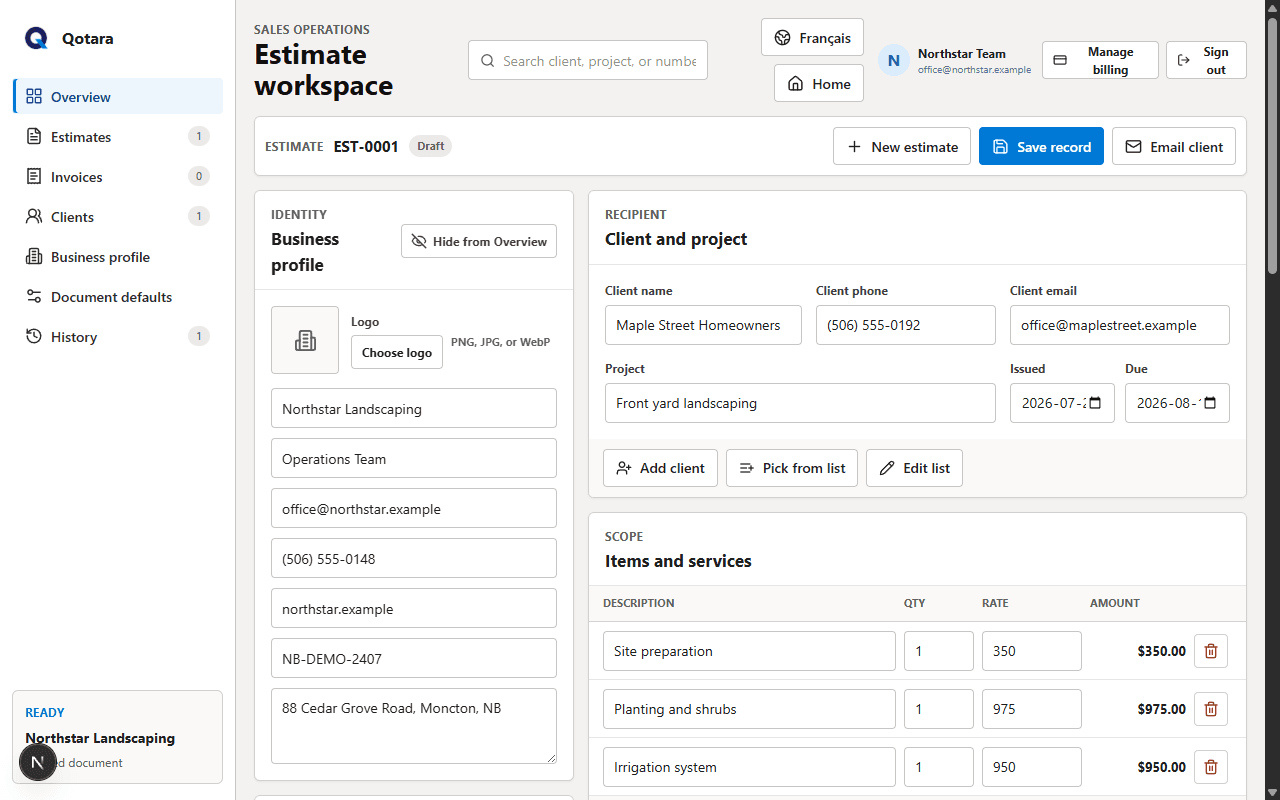
Save your company details, contact information, tax number, and logo once.
Add the client, scope, quantities, rates, discounts, and tax while totals update live.
Preview the finished document, email it securely, and convert accepted work into an invoice.
Keep the details that repeat, change the details that do not, and send a professional document from the same workspace.
Build estimates on phone or desktop, reuse common service items, set a default tax rate, and keep client details ready for the next job.
Explore contractor estimatingReuse landscaping services and client details, tailor quantities and rates to the property, then send a polished estimate.
Explore landscaping estimatesAdd team members, assign client jobs, switch between day, week, and month views, and share the useful schedule.
Explore Qotara ScheduleCarry the client, project, line items, totals, and notes forward when an estimate becomes an invoice.
See the estimate-to-invoice workflowYour estimates and business profile are saved to your Qotara account and synchronized across signed-in devices. A browser copy is retained as a temporary offline fallback.
Yes. Qotara builds the email on the server from validated estimate data and sends a formatted estimate through Resend.
Yes. The workspace, saved preference, document preview, and outgoing estimate email support English and French.
Yes. Save client details and common service items so repeat estimates take less retyping while remaining editable for each job.
Build a polished estimate and see the client version as you type.